On you
Reviews people asked you for, and the notes you marked as yours.
AI makes it easy to keep ten or twenty projects moving at once. Keeping track of them is the hard part. sous gathers reviews, unfinished work and your own notes into one list, and shows it when you open a terminal or start an agent session.
brew install bilal-/tap/sous && sous setupcurl -fsSL https://raw.githubusercontent.com/bilal-/sous/main/install.sh | sh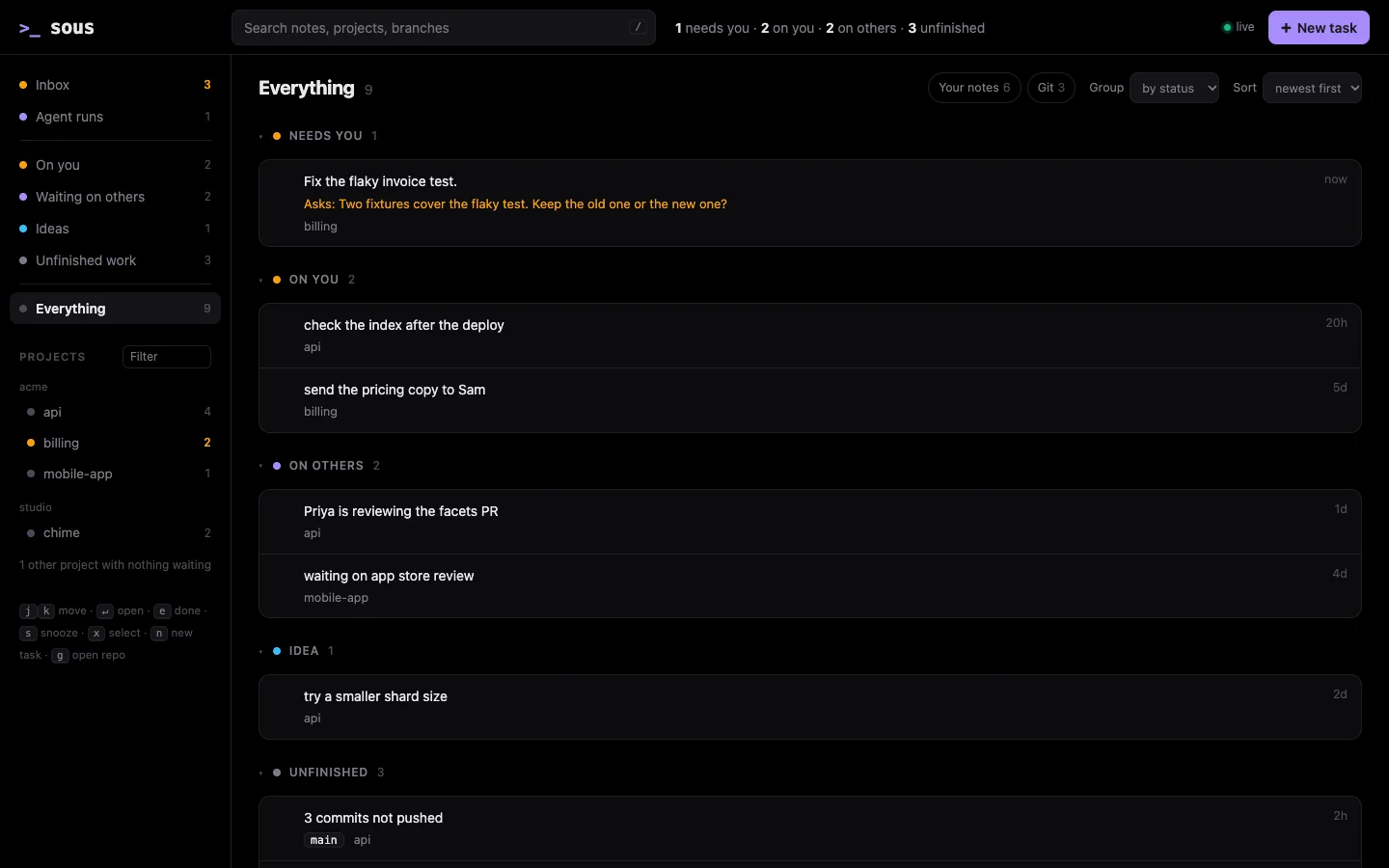
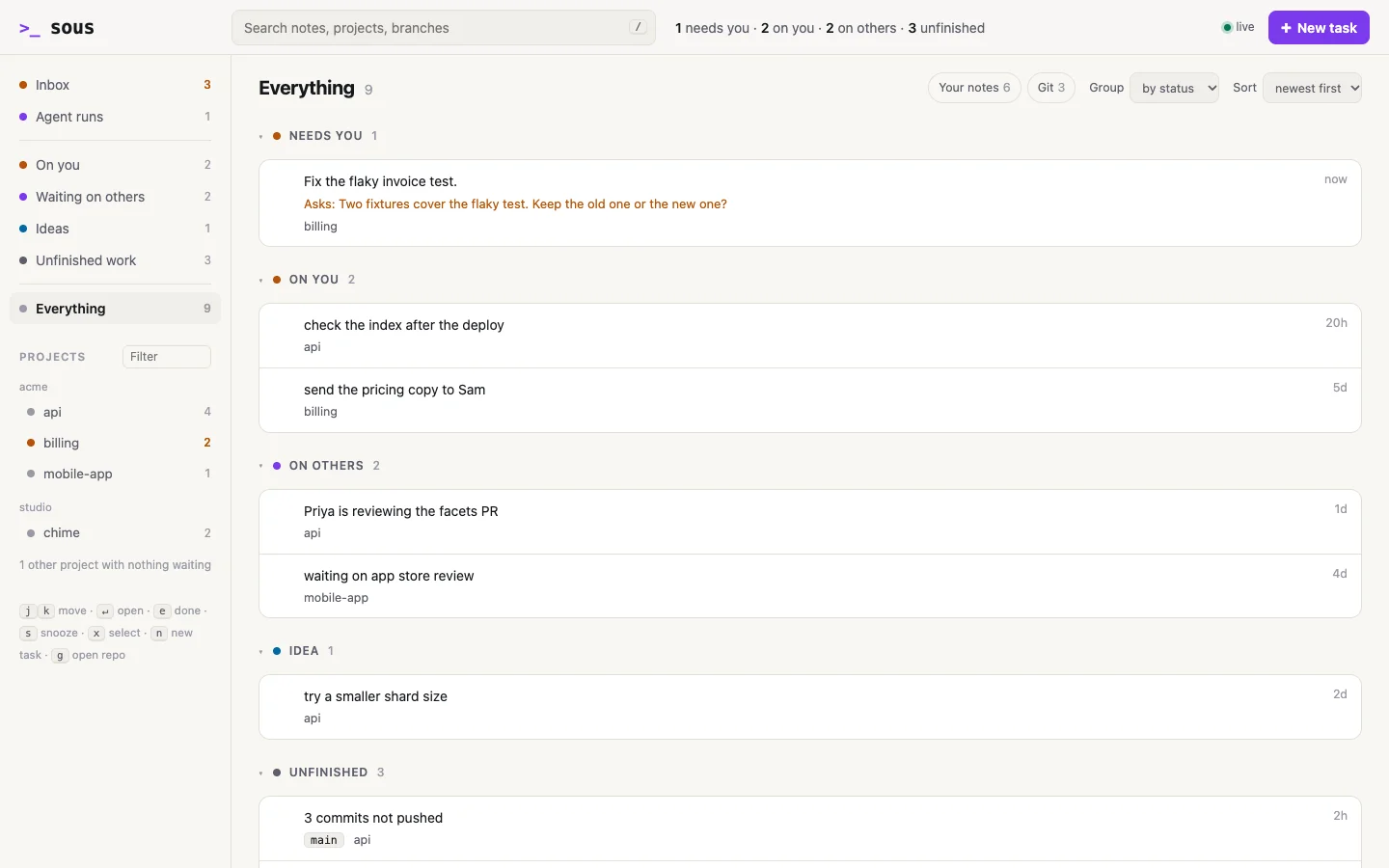
The review someone asked for on Tuesday. The branch you never pushed. The “I’ll fix that later” in a project you haven’t opened in two weeks. GitHub, GitLab, your notes and your memory each know a slice of it. sous puts the slices in one list, grouped by whose move it is.
Reviews people asked you for, and the notes you marked as yours.
What you are waiting for: an app store review, a colleague, a reply.
Work you left behind in git: files not committed, commits not pushed, stashes.
❯ soussous · ~/.local/bin/sous · what is waiting on you across every projectsous · 1 needs you · 2 on you · 2 on others · 3 unfinished needs you · sous reply <n> "<answer>" 6 billing Fix the flaky invoice test. · "Two fixtures cover the flak…" 0m on you 1 billing send the pricing copy to Sam 5d 3 api check the index after the deploy 20h on others 2 mobile-app waiting on app store review 4d 5 api Priya is reviewing the facets PR 1d unfinished s:aaabe82ea0f2 chime feat/widget has no upstream 5d s:29d1240287e7 chime 2 files uncommitted · feat/widget 5d s:d0b7c36c0bb0 api 3 commits unpushed · main 2h (… cut short: sous show <n> for a whole note) 5 checked · 0 unavailable · as of 19:47 · sous snooze <id> to hide a rowEvery row says how long it has been waiting. Tasks you hand to an agent get their own groups at the top: needs you, in progress and ready to review.
There is no app to open and no background service. The board prints when a new terminal starts, your agent hears about it when a session starts, and sous serve opens it in your browser.
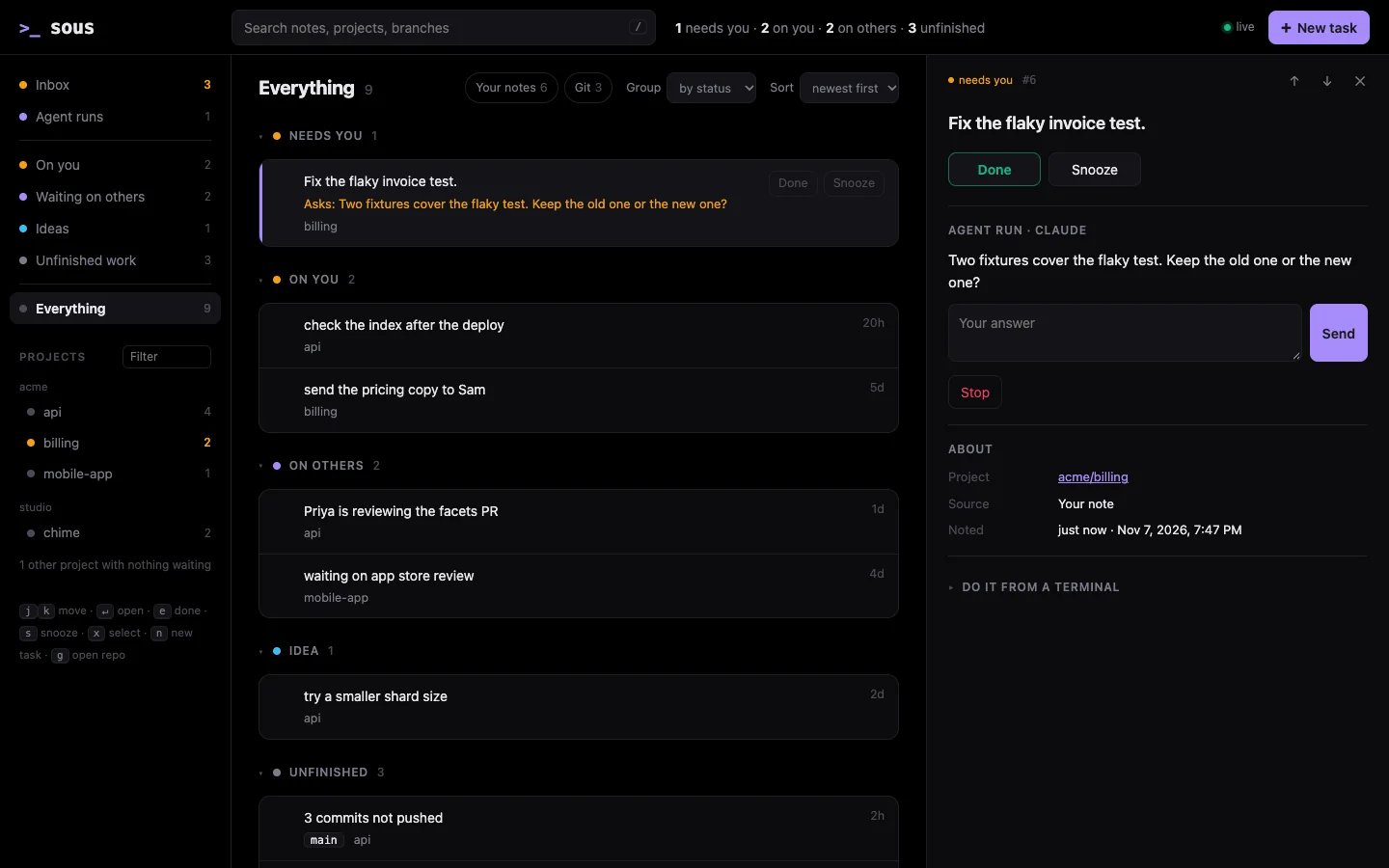
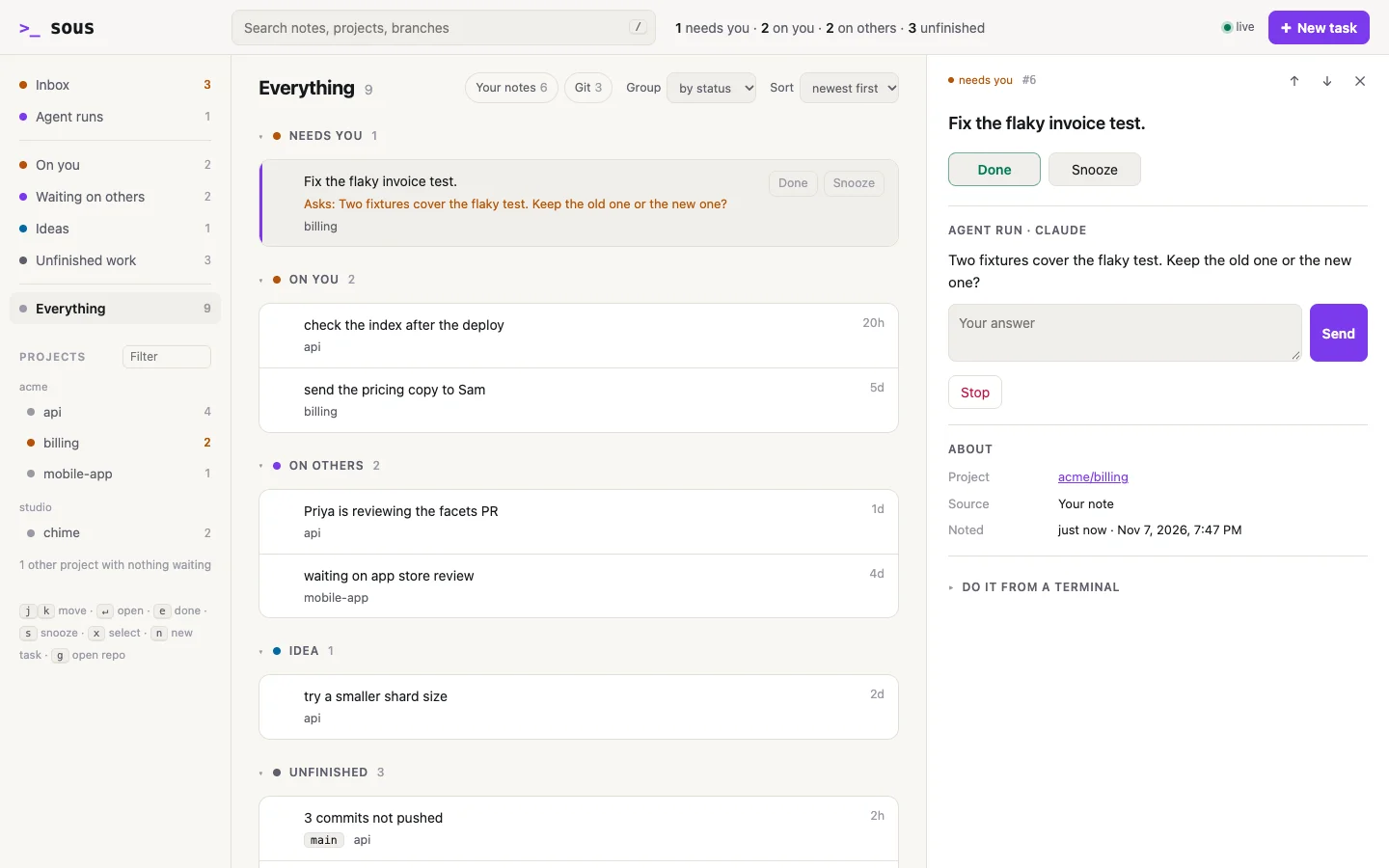
Plain words. Each item says what it is and what to do about it. A git finding explains itself, with the commands that deal with it.
Mouse or touch, any size. The page works on a phone, a tablet or a wide screen. Press and hold to select several items.
Only on your computer. The page listens locally and runs whilesous serve does.
When a session starts in Claude Code, Codex, Antigravity or opencode, the agent gets a short brief: the branch, the last commit, how the last session ended, and what is waiting. Other agents can use the shared skill to ask for it.
~/.agents/skillsOr just ask: “what’s waiting on me?”, “note for billing that I owe Sam the numbers”. It asks before anything reaches a shared tracker.
[sous] The user's list of what is waiting on them across projects. Run sous help for how to use it.[sous] Runs waiting on the user: 6 billing: run needs you · Fix the flaky invoice test. · "Two fixtures cover the flaky tes…" · sous reply 6 "<answer>"api · main · last commit 1h ago "Retry a slow shard" 3 commits unpushed · mainlast session · claude · 2026-11-08 · ended: "The facets are cached and paged. Next: retry a slow shard, then deploy."project docs · README.mdon you: 1 · on others: 1 · ideas: 1 3 check the index after the deploy 20h 5 Priya is reviewing the facets PR 1d (them) 4 try a smaller shard size 2d (idea) sous note "…" to add · sous done <n> to close · sous kind <n> me to escalatesous go --run starts your agent in its own git worktree, in the background. When it needs you, or it is done, the task is on your board with the one command that moves it on.
A brief that says what, why and what done means. Retrying it never starts two.
❯ sous go billing --run "Fix the flaky invoice test.

Done means it passes 20 runs in a row."The agent works on its own branch. A question waits on your board, not in a tab.
6 billing Fix the flaky invoice test. (me · just now) needs you · Two fixtures cover the flaky test. Keep the old one or the new one? (claude) branch sous/run-6 · worktree ~/.sous/runs/3a6c58bf732b/worktree · log ~/.sous/runs/3a6c58bf732b/log next: sous reply 6 "<answer>" · sous done 6Reply and it carries on. When a result is ready, look at its changes. Usesous approve to push its branch and open a draft pull request, orsous discard to turn it down. sous done --clean removes a finished run's worktree.
Keep decisions, constraints, lessons and handoffs with their sources. When you come back to a project, its brief brings that context up. The full history stays on your computer.
Save a decision with its source. Recall it later, check its evidence, and replace an outdated decision while keeping its history.
❯ sous recall --show m:1m:1 · decision · 2026-11-08T00:47:23Zproject · ~/code/acme/apiworkspace · ~/codesource · docs/design.mdauthor · humanUse cursors so new results do not shift page boundaries.verified · 2026-11-08T00:47:23Z · docs/design.mdsous recall -p ~/code/acme/api --history for previous decisions and handoffsLink the projects, notes and decisions behind one outcome, and see which work waits on which.
❯ sous effort "Search launch" e:1 Search launch · 3 linked open · 0 completed · 1 blocked project · acme/api · workspace ~/code project · acme/billing · workspace ~/code 1 send the pricing copy to Sam · me 3 check the index after the deploy · me 5 Priya is reviewing the facets PR · them 1 waits for 3 m:1 decision · acme/api · Use cursors so new results do not shift page boundaries. · docs/design.md · verified tracker snapshot · 2026-11-08T00:47:22Z sous show <n> for current work · sous effort link <name> --note <n> to connect itYou or your agent record the context. Memory stays with its project unless you share it. Search is local keyword search; there is no automatic transcript extraction or semantic search.
You work across many projects, often with AI agents, start your agents from a terminal, and want a nudge rather than another tool to manage.
You mostly work in one project, or your team already runs everything through one tracker you check every day.
In git, on GitHub or GitLab, or in a project’s FOLLOWUPS.md. sous keeps pointers and your private notes, and works out the live state each time you look.
Rows are grouped by whose move it is, oldest first. sous needs no API key, and runs no background service.
If GitHub cannot be reached, the board says ? on you (github failed), not a calm zero, and keeps what it knew, marked stale.
No sous account or model API key. sous uses the tools and logins you already have. Trackers contact their services; agents may send context to their model provider.Read the privacy details.
Close a filed issue where it lives and your note closes too. If sous cannot check, the row says so.
The session brief and sous here use local git facts and cached tracker state, so they never wait on the network.
--json. Errors too.sous help covers the rest.sous follows the AXI guidelines for agent friendly command line tools.
{ "id": "3", "did": "already_noted", "ref": null, "next": [ "sous done 3" ]}A plugin is a program named sous-<kind>-<name> that you list in your settings. sous passes it arguments and reads what it prints. The built in git, GitHub, GitLab and agent support go through the same doors.
sous-signal-*pull requests, CI runs, tickets, calendar holds
sous-backend-*Jira, Linear, Gitea, a plain text file
sous-launcher-*your agent, your editor
sous-runner-*an agent on a server, a queue of reviewed changes

sous setup finds your projects, adds itself to your shell and your agents, and tells you what it did. Run it again any time.
brew install bilal-/tap/sous && sous setupcurl -fsSL https://raw.githubusercontent.com/bilal-/sous/main/install.sh | shmacOS and Linux. Read how to set it up, how to use it day to day, or every command.